- 2026.11
Code blocks in Boards
You can now add code blocks to Boards, with syntax highlighting for several dozen programming languages. Code blocks are supported in two ways:
- As standalone code objects, available in the Shapes tool or via the command menu (
Cmd/Ctrl-K). - As blocks inside text, shapes, or sticky notes using the
```Markdown shorthand.
We’ve also reworked syntax highlighting in Docs:
- Code blocks now detect the programming language automatically by default.
- Syntax highlighting now understands multi-line code context.
- Improved performance for large code blocks.
Copy/paste from Boards into Docs
You can now copy and paste content from Boards directly into Docs. This creates a live embed that stays in sync with the Board.
We’ve also made several improvements to Board embeds in Docs:
- Embeds now maintain their original aspect ratio unless manually resized.
- When you open an embedded Board from a Doc by double-clicking it, the title bar now shows the original Doc as an ancestor, even when it isn’t the Board’s direct parent. This makes it easier to return to the Doc, either by clicking its name in the title bar or using
Option/Alt+Esc. The Doc also preserves its scroll position when you return. - Embedded previews for nested Boards can now be expanded and collapsed more easily.
Other improvements and fixes
- Whimsical MCP now supports inline comments in docs.
- MCP can create vertical mind maps.
- Mind map edits via MCP now preserve node styling, layout, and comment threads.
- MCP now supports custom colors and custom connector label backgrounds.
- Whimsical MCP is now available in Cursor’s marketplace.
- Whimsical can now be embedded into Obsidian via a plugin.
- Embedded boards no longer print blank when saving a doc as PDF.
- Refreshed AWS and Azure icons in Whimsical icon library.
- Wireframe overlays now support all colors.
- You can now search titles and content across your workspace in one go.
@mentionsnow show people and files together in one unified list.- You can now paste mixed Markdown content, including tables and images, directly into Boards.
- You can now copy and paste rich content from Google Docs, Microsoft Word, and other sources directly into Docs and Boards, including tables and images.
- Sticky notes now have a single, unified context bar.
- Fixed object snapping becoming erratic in some instances.
- As standalone code objects, available in the Shapes tool or via the command menu (
- 2026.10
Better search and icons in flowcharts
New features
🎨 Icons in flowchart shapes - You can now add icons directly inside flowchart shapes.
🔍 Smarter search - Whimsical’s search is now powered by Turbopuffer, delivering more relevant results.
- Understands meaning, not just keywords.
- Tolerates typos and misspellings.
- Stays fast as your workspace grows.
Improvements and fixes
- Dark mode is available in embeds.
- Whimsical’s Claude connector and ChatGPT app now support dark mode.
- Tables in docs are now readable and editable via MCP.
- We’ve added outline mode to annotations.
- Wireframe text offers new XS, XL, and XXL size options.
- Desktop app remembers your doc position when switching between tabs.
- 2026.9
Dark mode
Whimsical is turning 9 this month. To celebrate that, we are releasing the one feature you've been asking for more than any other.
Dark mode.
You may have noticed us quietly reworking parts of the Ul over the past couple of months - that was the groundwork. Under the hood, we rebuilt our color system and carefully remapped every shade on the canvas, so your work stays vibrant, readable, and true to your design, day or night.
Dark mode will now activate automatically if you have chosen it in your system settings. You can also switch modes manually in your preferences.
- 2026.8
Ask Whimsical
New features
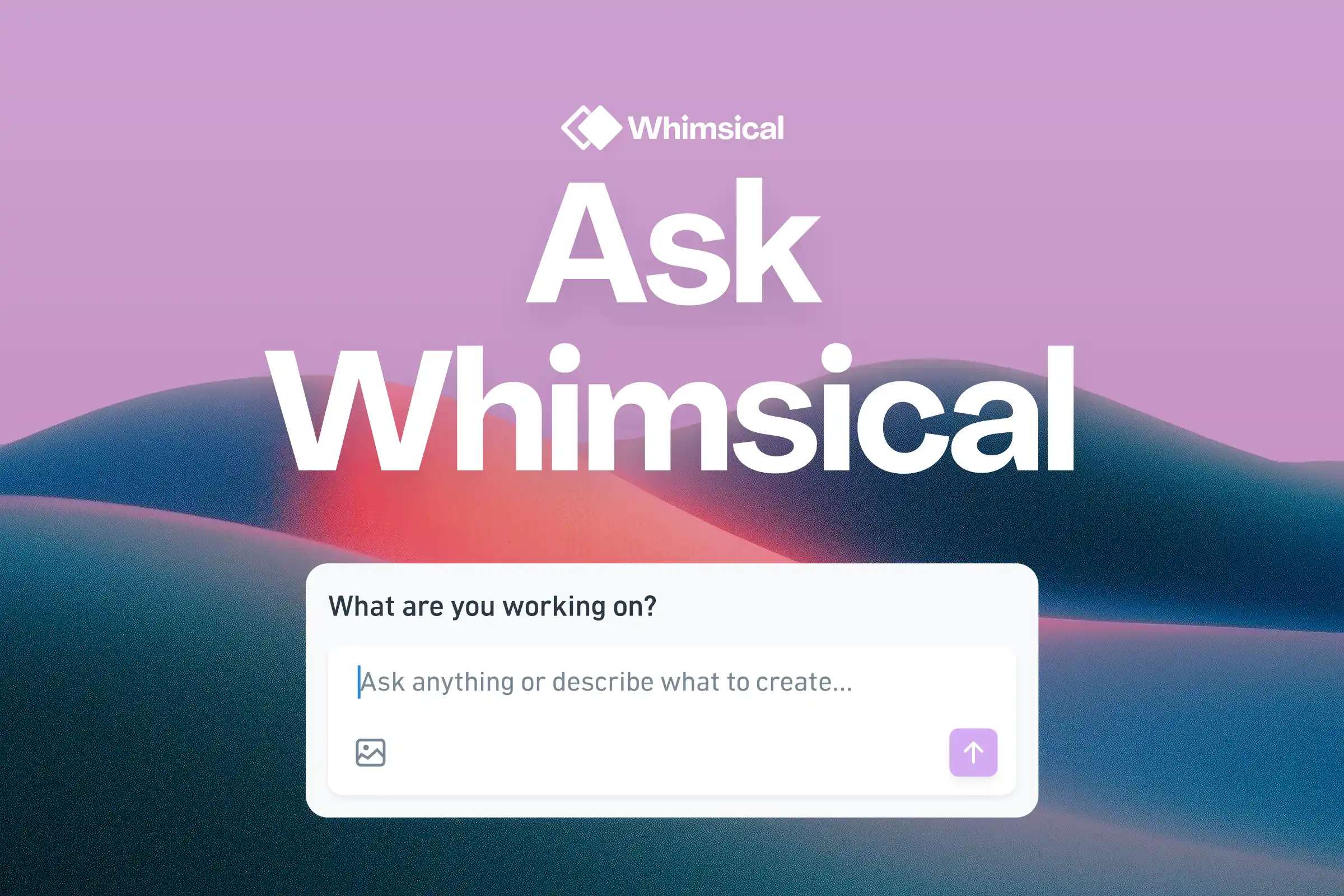
✨ Ask Whimsical - create diagrams, wireframes, and mind maps, search your workspace, and iterate on your work, all without leaving Whimsical.
Improvements and fixes
- New: Pan and Select tools are now available in the toolbar and from the command menu.
- Improved: You can now change formatting for multiple tables at once.
- Improved: Added sign-out option for guests.
- Fixed: Closing a window in the Windows app now closes just the active window, not all of them.
- Fixed: Opening New Window works in the Windows desktop app, keyboard shortcut included.
- Fixed: All keyboard shortcuts now work in the Windows and Linux desktop apps.
- Fixed: Icons in wireframe shapes with custom colors are now always visible.
- Fixed: Placeholder text is now visible when adding the Lorem ipsum wireframe element.
- Fixed: Untitled card stacks now appear in the stack selector.
- Fixed: Docs no longer have a gray background when printing or exporting.
- Fixed: Snapshots no longer lose their preview thumbnail over time.
- Fixed: You can now sign out from your account on mobile.
- Fixed: SAML SSO login no longer loops after a SCIM role change.
- 2026.7
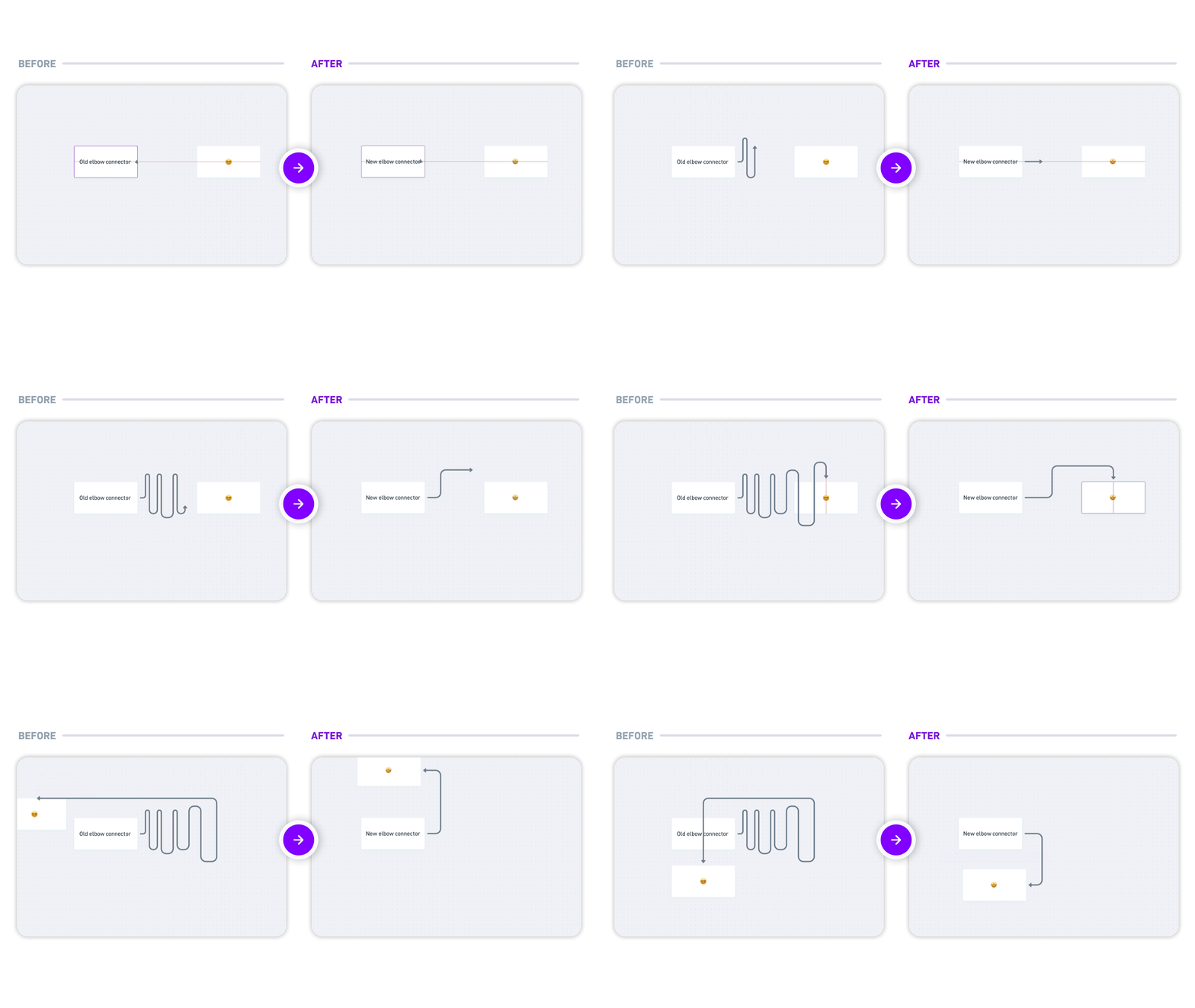
Elbow connector improvements
New features
- Smarter connectors - elbow connectors now find cleaner paths automatically and stay tidy as your diagrams evolve.
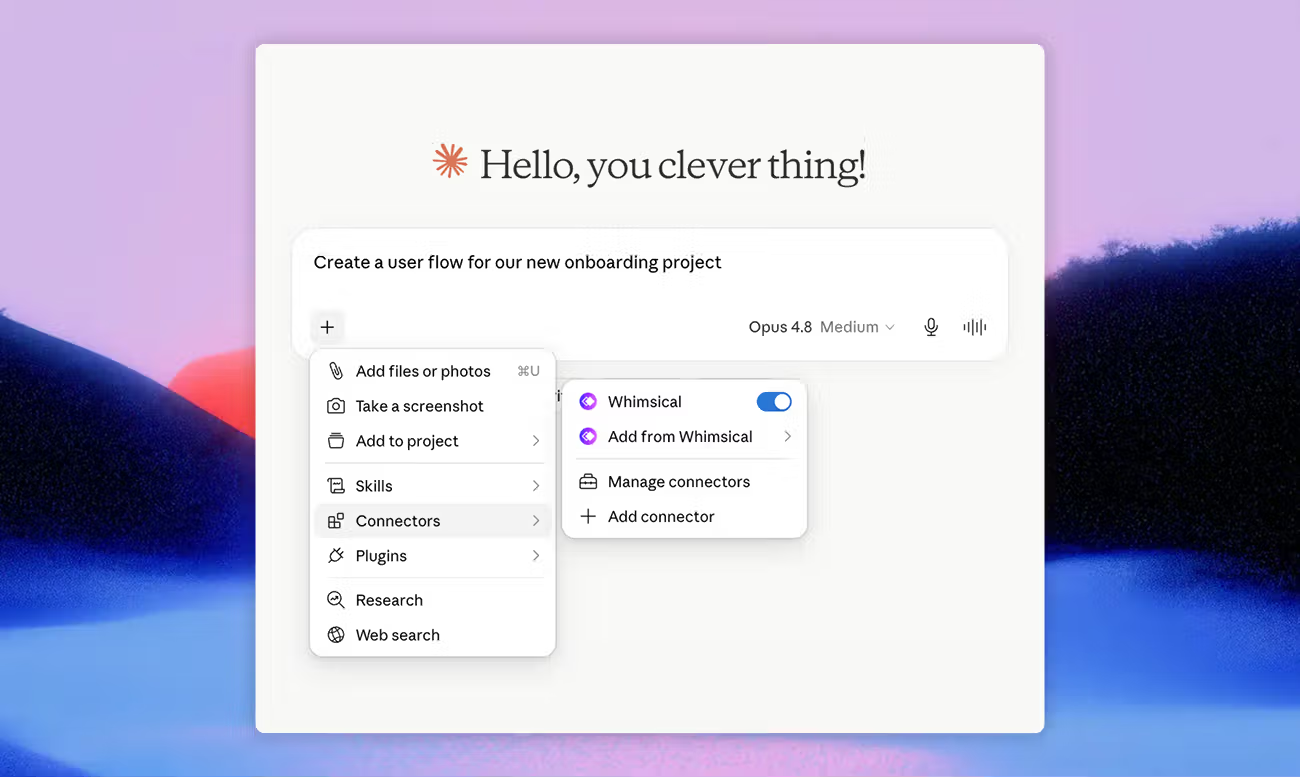
- Claude connector - connect Whimsical to Claude and turn your conversations into diagrams and wireframes, using context from all your tools.
MCP
- New: You can now set custom colors on board objects.
- New: Added icon support for mind map nodes.
- New: Reading and writing comments is supported via the MCP.
- New: Cards and stacks can now be created and managed via the MCP.
- New: You can create, rename, and delete files and folders.
- New: Added full markdown and rich text formatting for compatible text fields.
- New: MCP can retrieve teams.
- Improved: Search via the MCP returns more reliable, accurate results.
- Improved: Added full table support in docs.
- Improved: Wireframe text and icons now render dark for better contrast.
- Fixed: Some users were unable to authenticate in the ChatGPT app.
Improvements and fixes
- New: A more compact board toolbar with easier switching between diagramming and wireframing.
- New: The "?" menu has moved to the left navigation bar.
- New: You can now press Delete to remove notifications in the notification inbox.
- New: Type arrow characters (→, ⇒, etc.) in any text field.
- Fixed: Embeds now render layout and icons correctly.
- Fixed: Slide labels no longer appear in presentation mode.
- Fixed: Items dragged into a section keep the correct order.
- Fixed: Consistent bulleted list rendering in board tables.
- Fixed: Selection highlights appear in comment-only and view-only docs.
- Fixed: Assignee avatars no longer appear blank in cards.
- Fixed: Comment button is now disabled while an image is uploading.
- Fixed: Text no longer shifts when clicking into edit mode.
- Fixed: The color picker now shows the correct color for sections and frames.
- Fixed: The desktop app window can now be moved while in presentation mode.
- Fixed: Selecting a sequence diagram actor works right after selecting a connector.
- Fixed: Connector endpoint arrows in sequence diagrams toggle correctly.
- Fixed: Collaborators in inactive or background tabs no longer show as active.
- Fixed: Collaborators show up reliably in real time.
- Improved: Better selection and hover highlights in sequence diagrams.
- Improved: A slimmer team header gives you back more space.
- 2026.6
Copy as SVG and Linux app
New features
🎨 Copy as SVG - take your Whimsical content anywhere: Figma, Notion, slides, the web, or your AI agent.
🐧 Linux desktop app - Whimsical is now available on Linux.
MCP
- New: Added a new
auto_layouttool for normalizing flowchart layout and changing direction. - New: You can now create a table inside a section on a board via the MCP.
- New: The Whimsical app in ChatGPT now displays scrollbars when content exceeds the canvas boundaries.
- Fixed: MCP-created content no longer overlaps existing content on the canvas.
- Fixed: Editing text via the MCP no longer causes hidden lines.
- Fixed: Flowchart connectors generated via the MCP no longer overlap shapes.
- Fixed: Slides created via the MCP no longer appear out of order in the Present sidebar.
- Fixed: The Whimsical app in ChatGPT loads in Safari.
Improvements and fixes
- New: Objects are now highlighted when you hover over them with the cursor.
- New: Added native support for Vietnamese to the Dinsical and Monsical fonts.
- Fixed: Italic styling is rendering correctly in Safari.
- Fixed: Copying text elements with Korean characters no longer breaks input.
- New: Added a new
- 2026.5
Whiteboard in ChatGPT
New features
✨ Whiteboard in ChatGPT with Whimsical - create diagrams, wireframes, and flowcharts without leaving the conversation.
🔌 Remote MCP server makes Whimsical accessible to agents without the desktop app. Use it in Claude, Cursor, and other agents.
Improvements
- Whimsical app and content now use new custom fonts - Dinsical and Monsical. Both are available for download and can be used and redistributed freely.
- Board and workspace search is now unified in a single dialog. You can also navigate between all search results without losing context.
- Workspace members and guests have been merged into a single People page, with filters to sort between all, members, guests, admins, and invites.
- Custom emojis and file uploads now have their own top-level settings page, making them easier to find.
- A new Security page in settings lets you manage security-related options in one place.
- The command menu now supports more actions, such as opening search and adding new tabbed folders.
Bug fixes
- The context bar no longer jumps around when clicking between cells in a board table.
- When importing Mermaid diagrams, connectors are no longer placed in unexpected positions.
- Locked tables can no longer be moved on a board.
- Right-clicking a Linear link in a board would open the link instead of the context menu. This is now fixed.
- The sidebar no longer closes when you remove a file from Favorites.
- Single dots made with the marker or highlighter can now be erased.
- 2026.4
Flowchart auto-layout
New features
- Auto-layout helps you tidy up flowcharts with a single click.
- Boards now include a cross (✕) shape. Use it to mark rejected options, or highlight areas that need attention.
Improvements
- Other connectors no longer overlap connector labels.
- Annotations that overlap a frame or section are no longer cut off at the frame's edge.
- Copy as Mermaid now also supports sequence diagrams.
- Wireframe "Elements" are now called "Components". The component menu also has a cleaner, more compact layout.
- The settings page now uses sidebar navigation, and has a more condensed layout.
- Arrow keys now scroll in the natural direction. E.g., pressing the right arrow now scrolls the canvas right.
- AI features in Whimsical, including flowchart and mind map generation are now powered by Anthropic's Claude models. Your data is handled the same way as before.
Bug fixes
- Confluence embeds no longer show a blank screen or "failed to load content".
- Tables in boards now render correctly when embedded in Notion, Confluence, or other tools.
- Fixed a bug where connecting Whimsical to Notion would silently fail.
- Links to other files in embedded boards were not showing their icons and couldn't be clicked. Both are now fixed.
- When pasting spreadsheet data where a cell contained a line break, Whimsical was splitting it into two rows instead of keeping the content in one cell. This is now fixed.
- When a lot of people were in the same board, the collaborator list in the top bar couldn't be scrolled, and clicking "Follow" did nothing. Both are now fixed.
- Files deleted in bulk can no longer disappear from the trash before they're fully synced.
- Fixed several edge cases where email subscription settings could appear active but not actually work.
- Fixed Korean text input breaking in some cases.
- 2026.3
MCP for coding agents
New features
🪄 Create, edit, and read Whimsical content from coding agents with Whimsical MCP. Check out this guide to get started.
🧜♀️ Copy diagrams from Whimsical as Mermaid code. Whimsical now also supports Mermaid subgraphs and horizontal layout.
Improvements
- Bring to front/back shortcuts have been updated to match standard usage:
]bring to front,[send to back,⌘]bring forward,⌘[send backward. - AI diagram generation is now more reliable when generating complex diagrams from detailed prompts.
- Whimsical URLs now include a workspace prefix, making it clear which workspace a URL belongs to.
- Workspaces now have avatars too. You can set yours via settings.
- Embedded Whimsical boards now load faster, and feature scrollbars.
Bug fixes
- Emojis are now rendered and wrapped correctly when editing board text in Safari or non-retina displays.
- Fixed canvas sometimes getting stuck for a brief moment when changing object colors.
- Mind map nodes no longer disappear when scrolling horizontally on large mind maps.
- Using the
Ikeyboard shortcut to import an image now opens the file picker and correctly imports the selected file. - Users without access to a file in a private team are no longer directed to log in with SSO.
- Files shared with you can now be reordered in Favorites.
- Linear and GitHub reference icons are now showing in comment email notifications, instead of plain text links.
- Mermaid node labels using quoted text (e.g.
A["My label"]) are now retained when pasting a diagram.
- Bring to front/back shortcuts have been updated to match standard usage:
- 2026.2
Command menu, better connectors, and custom colors
Command menu
The new command menu gives you quick, keyboard-first access to every tool and action in Whimsical.
Commands are shown based on the context you’re in. For example, if you’re working on a board, you can search for an object you would like to add.
You can also browse all available commands by pressing
Command+Kand thenEnter.Better connectors
It’s now easier to move and modify connectors:
- Any freestanding connector can now be moved without restrictions.
- Connectors now show the exact point where they are attached when selected.
- Both elbow and straight/curved connectors now always show handles for dragging edges and control points.
- Elbow connector edges now snap to other nearby edges when being moved.
Custom colors in Boards
Whimsical now lets you set custom colors for board objects.
Click on the new + option in the color picker and chose the color visually or by specifying a hex code. You can also pick it from anywhere on the screen using the eyedropper.
Once a custom color is added, it can be reused for other objects. You can also edit an existing custom color by right-clicking it in the color picker. The changes will apply to all objects using that color.
Improvements
- Version history in Boards now loads from newest to oldest, so you get immediate access to recent changes. We've also made it faster and fixed stability issues when opening history in large boards.
- Multiplayer collaboration in boards is now faster and more reliable. You can also see (and follow) the cursors of anonymous viewers, and idle users are no longer shown as active.
- You can now paste markdown tables into Docs.
- Link shortcut in editor is now
Shift+Command+U, asCommand+Kis used for the command menu. - Voting info can now be collapsed while voting is active.
- Shapes in Whimsical now have the same text padding, regardless of the shape size.
Bug fixes
- Fixed rendering of links inside Linear backlinks.
- When pasting an image into a section or frame, the image is now always centered inside the selected container.
- Fixed spaces being dropped in some cases when replying to comments via email.
- Links to deleted comments correctly route you to the parent file.
- Slack notifications now always display only once, not twice.
- Fixed SVG images sometimes getting converted to bitmaps when adding to a board.
- When clicking into a draft comment in Docs discussion section, cursor no longer jumps to the end of content.
- When moving files, “Last modified by” will no longer be updated.
- Fixed incorrect selection on double-click when objects are inside a nested group.
- When viewing a board with view-only access, copying will correctly copy selected objects rather than the whole board.
- Images imported on Windows should no longer appear blurry in some instances.
- Desktop app badge will now update when the application window is closed as well.
- You can now correctly add plain text before inline code when it starts at the beginning of a paragraph.
- Fixed desktop app requiring login on every launch in some instances.
- Clicking on a blank line when editing text in Safari now correctly moves the cursor.
- Images inside callouts no longer extend past the callout boundary.
- Images can now be dragged inside table cells in Docs.
- Search now correctly highlights keywords in nested file blocks.
- F11 key now correctly opens full screen view on Windows desktop app.
- Docs version history no longer shows the title twice.
- Fixed selecting comment text inside table cells.
- Fixed creation of new blocks in Docs between two toggle lists.
- Fixed discarded comments not being discarded in some instances.
- Fixed shortcuts in wireframe frame toolbar.
- When editing text in Boards, it no longer incorrectly wraps when typing : after a space.
Brand
Get all logo versions.
Download